
Sales reps spend nearly 30 minutes after each meeting doing admin work that nobody enjoys. Claap AI promises to eliminate this busywork with automated meeting notes, CRM updates, and follow-up emails.
Trusted by over 1,000 high-growth companies, this AI meeting recorder supports 99 languages and handles everything from transcription to deal analysis.
This Claap AI review examines whether it actually delivers on these bold claims, or if it's just another overhyped sales tool.
⚡ What Is Claap AI? (Quick Overview)
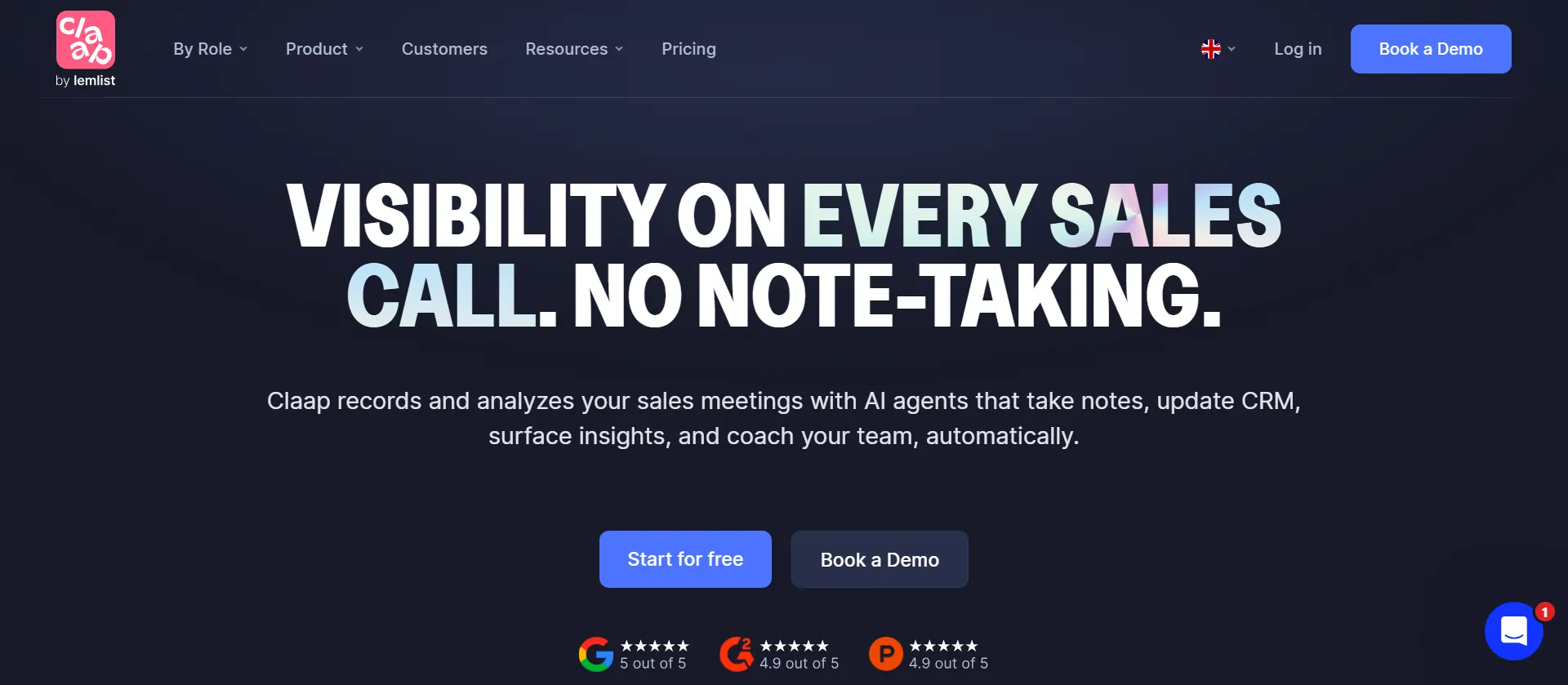
Claap AI is an all-in-one sales assistant that automates the tedious tasks eating up your team's time. The platform combines three core AI systems: an AI Agent for admin work, an AI Analyst for pipeline insights, and an AI Coach for training new reps.
Unlike basic meeting recorders, Claap functions as a complete conversation intelligence platform. It captures sales calls, extracts key insights, updates your CRM automatically, and even generates personalized follow-up emails that match your writing style.
The platform works with all major video conferencing tools and integrates directly with HubSpot, Salesforce, and other popular CRM systems.
Sales teams use Claap to:
💎 Claap AI Features – What Does It Actually Do?
Our Claap AI review wouldn't be complete without examining the features that make this platform stand out. Here's what you actually get:
⏺ AI Meeting Recorder & Transcription
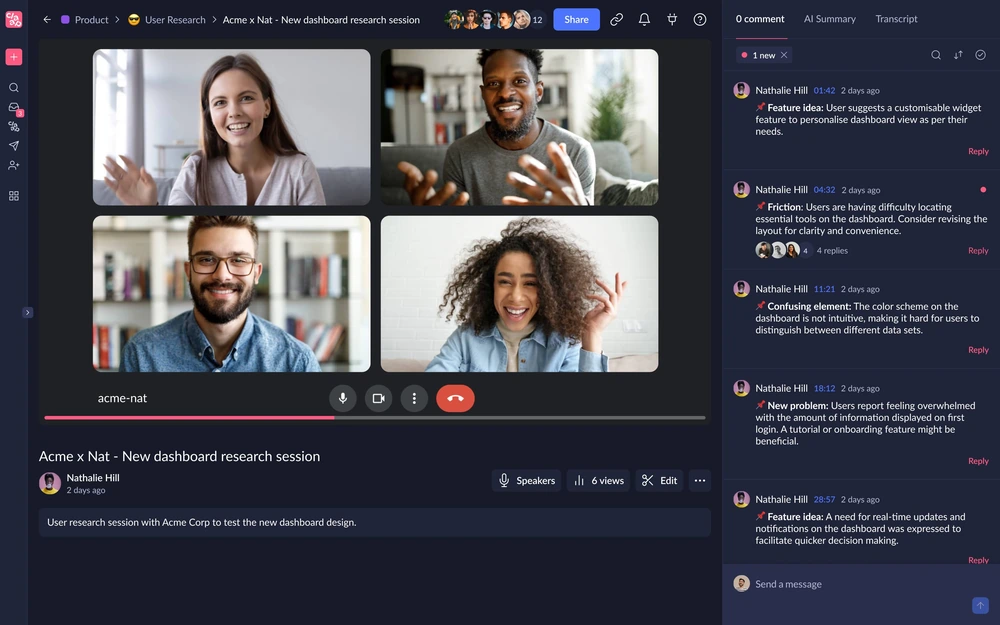
The meeting recorder joins your calls automatically and captures every word with impressive accuracy across 99 languages. You can record Zoom, Google Meet, Microsoft Teams, and phone calls without lifting a finger.
Key capabilities:
The Chrome extension and desktop app add screen recording capabilities for field sales teams capturing client demos, product walkthroughs, and quick video updates without scheduling formal meetings.
📝 AI Note Taker & Meeting Summaries
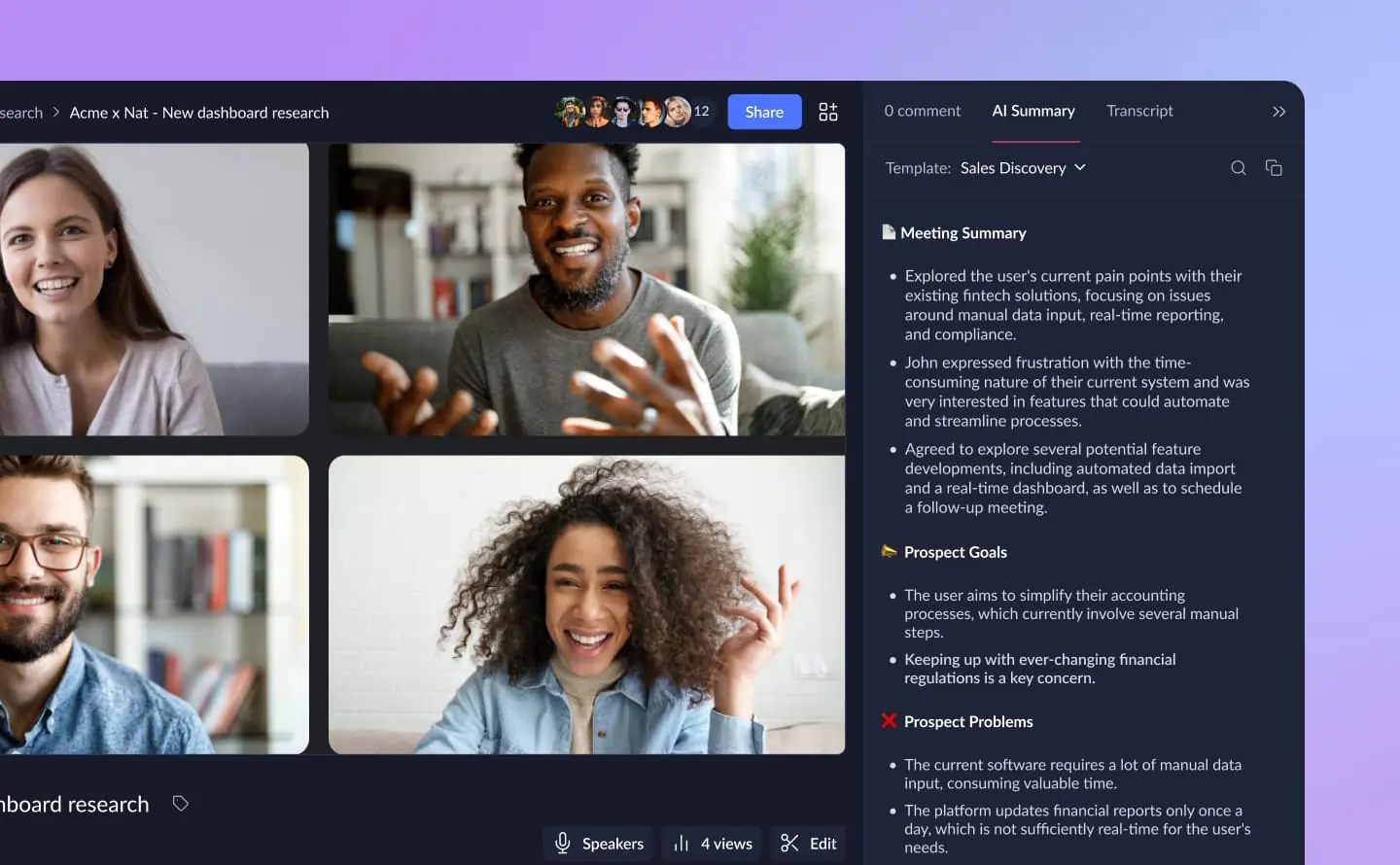
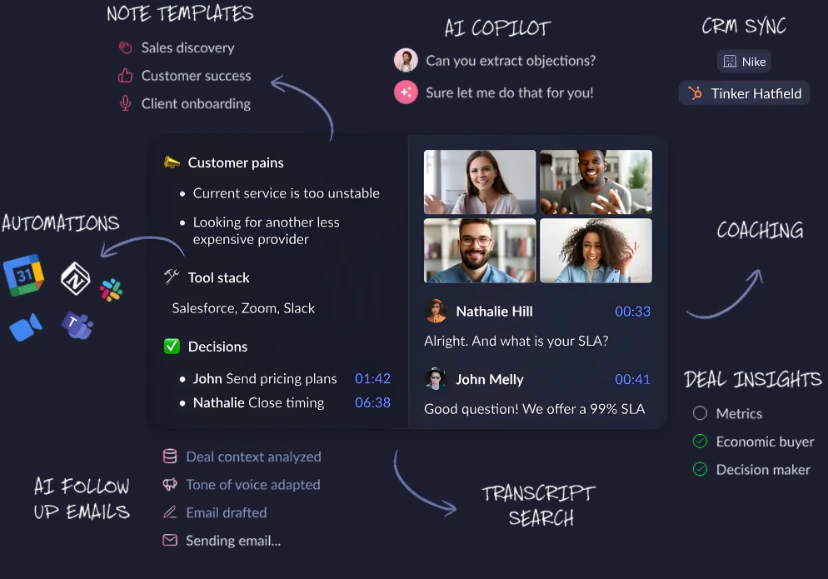
Stop taking notes during calls and focus on actually selling. Claap's AI note taker generates structured meeting summaries based on your custom templates.
What it extracts automatically:
You can create different templates for discovery calls, product demos, QBRs, or customer onboarding sessions. Each summary generates within seconds after your meeting ends, letting your team review key takeaways before prospects even leave their desk.
⚙ CRM Integration & Auto-Enrichment
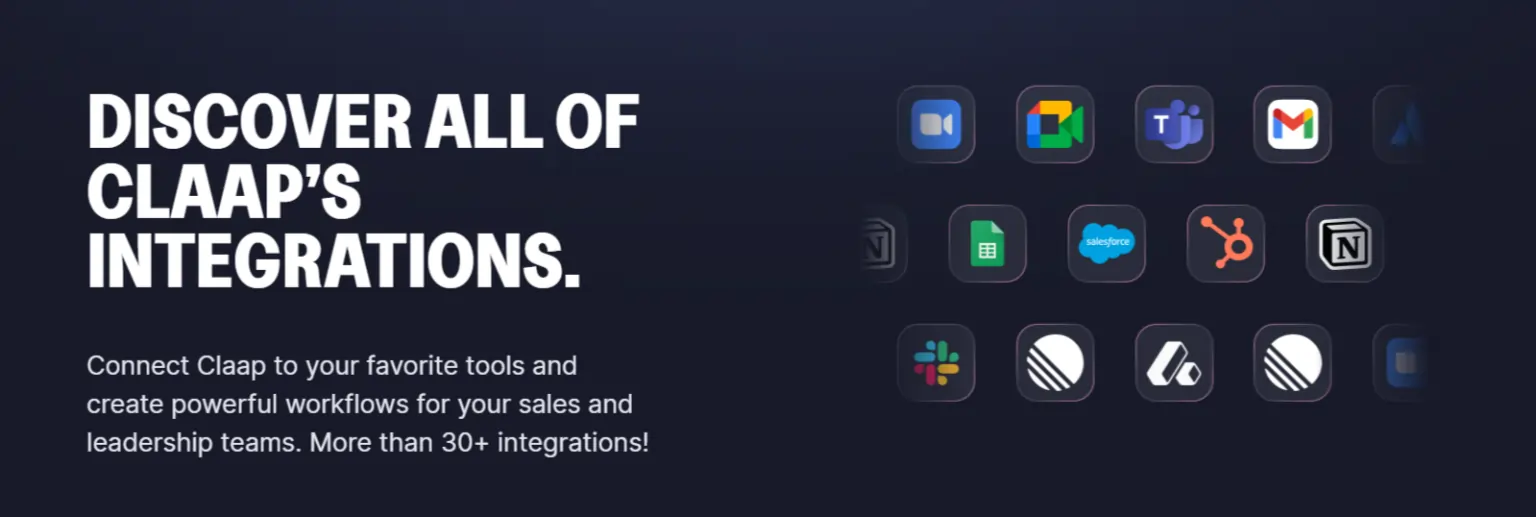
Manual CRM updates are the bane of every sales rep's existence. Claap solves this with automatic CRM enrichment that keeps your pipeline data fresh without human intervention.
👥 Supported platforms: HubSpot, Salesforce, Pipedrive, and other major CRM systems
What it updates automatically:
This feature alone saves reps 15-20 minutes per call, letting them focus on high-value activities instead of data entry drudgery. Sales managers report their CRM data quality improved dramatically after implementing Claap.
📧 AI-Generated Follow-Up Emails
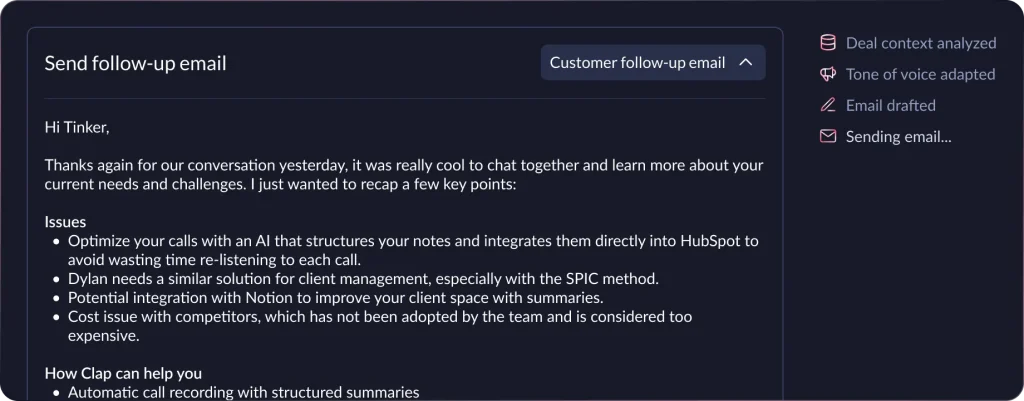
Writing personalized follow-up emails after every call is time-consuming. Claap's AI email generator creates contextual, on-brand messages with a single click.
The system analyzes your conversation, pulls out key discussion points, and drafts an email that sounds like you wrote it. It includes relevant next steps, answers to questions raised, and appropriate call-to-action items based on the deal stage.
Most users report the AI gets it right 80-90% of the time, and the tool learns your communication style over time.
👉 Conversation Intelligence for Sales Teams 👈
| Feature | What It Does | Business Impact |
|---|---|---|
| Deal Qualification Scorer | Automatically rates opportunities based on your criteria | Prioritize high-value deals |
| Monthly Objection Reports | Tracks top reasons deals stall or die | Improve coaching and messaging |
| Competitor Mentions | Flags which competitors appear in conversations | Refine competitive positioning |
| Feature Request Tracking | Identifies most-requested product capabilities | Guide product roadmap |
| Pipeline Q&A | Answer questions about deals instantly | Faster decision-making |
The deal insights feature answers questions about your pipeline instantly. Ask “What objections came up in enterprise deals this month?” or “Which prospects mentioned competitor X?” and get immediate answers pulled from your entire conversation history.
🔗 AI Sales Coaching Tools
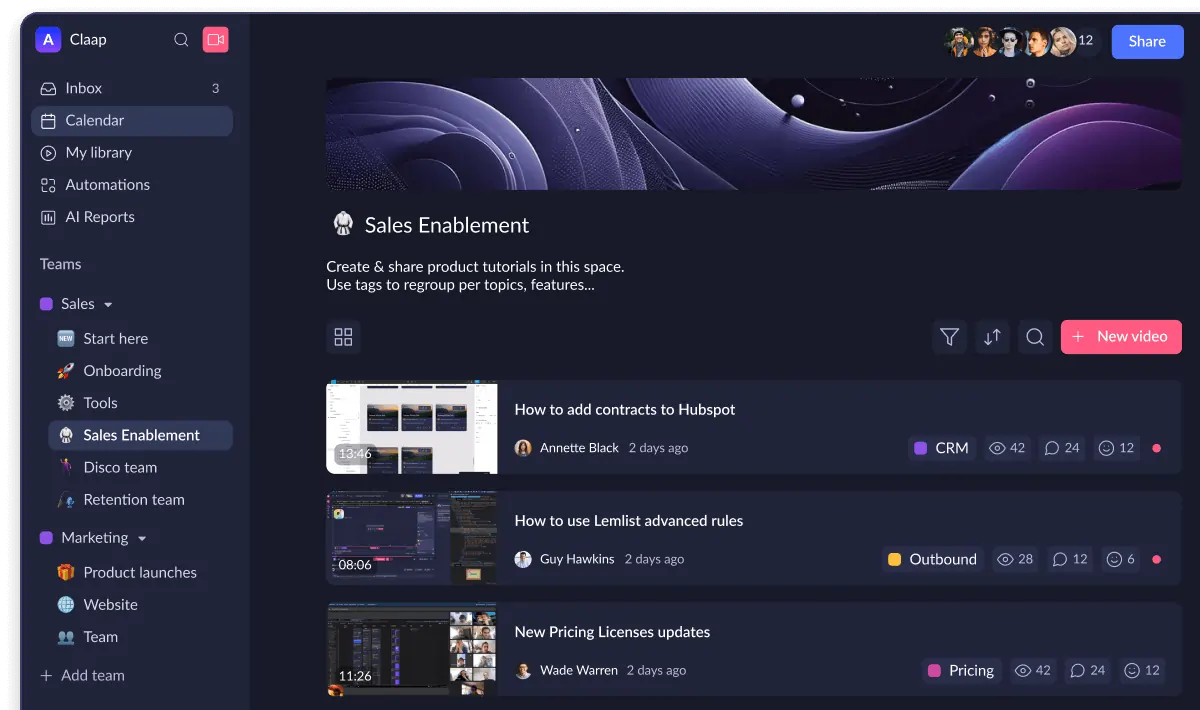
New account executives typically take 3-6 months to ramp up fully. Claap's AI Coach dramatically shortens this timeline with structured training and feedback.
Coaching capabilities:
New hires watch real examples of great discovery calls or perfect demo flows instead of reading static playbooks, accelerating their path to quota.
💸 Claap AI Pricing Plans – What's It Going to Cost You?
Claap offers flexible pricing designed for teams of all sizes. The company structures licenses differently for sales users versus other team members.
| Plan | Price | Recording Minutes | Key Features |
|---|---|---|---|
| Basic | $0/month | 300 min | Basic recording, transcription, Chrome extension |
| Pro | $24/month | 1,000 min/month | AI summaries, CRM sync, email generation |
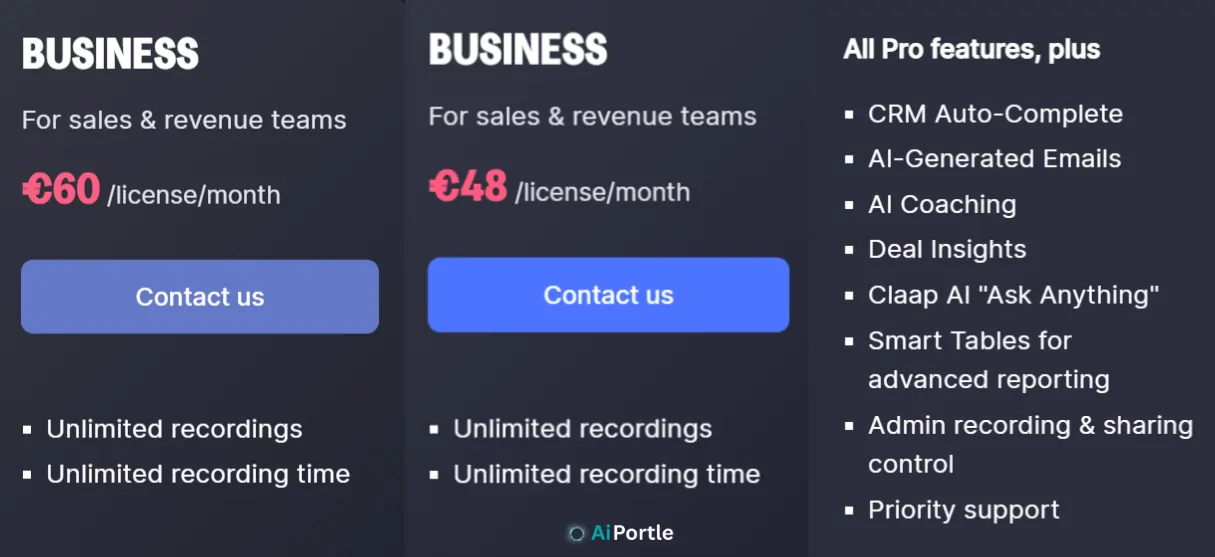
| Business | $48/month | Unlimited | Conversation intelligence, coaching tools, custom templates |
| Enterprise | Custom | Unlimited | Advanced security, dedicated support, custom integrations |
🚥 Note: Prices shown are per user/month when billed annually. Monthly billing costs $30 (Pro) and $60 (Business).
😍 Is Claap AI Free? (What You Get at $0)
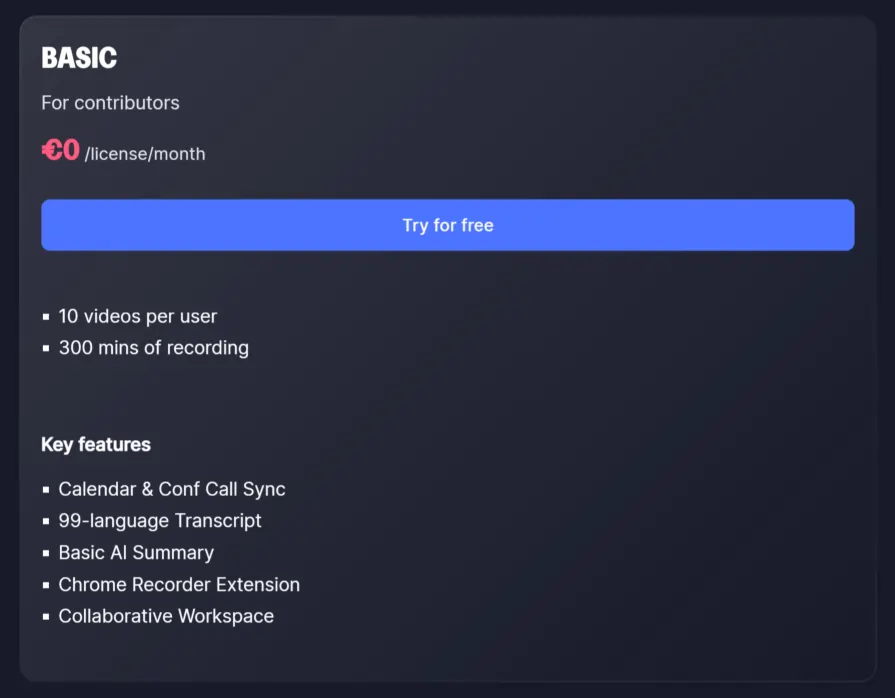
Yes, Claap offers a free Basic plan with no credit card required. Free users get 10 videos per user, 300 minutes of recording, basic meeting recording, transcription, and screen recording capabilities through the Chrome extension.
The free tier works great for individuals or small teams just getting started with AI meeting tools. You can test the core functionality before committing to a paid plan. However, you'll need a paid license to access advanced AI summaries, CRM integrations, and conversation intelligence features.
⭐ Best Value Plan for Sales Teams
For most sales teams, the Business plan at $48 per user monthly (billed annually) delivers the best ROI. It includes all three AI components (Agent, Analyst, and Coach) plus unlimited recording time and advanced analytics.
Teams of 5-10 reps typically see the investment pay for itself within 2-3 months through time savings alone. If Claap saves each rep 30 minutes per day, that's 2.5 hours per week or 10 hours per month. At a $75,000 annual salary ($36/hour), that's $360 in saved time per rep monthly—far exceeding the $48 monthly cost.
⚔ How Does Claap AI Compare to Competitors?
👉 Claap AI vs Fireflies 👈
Fireflies focuses primarily on meeting transcription and basic note-taking. It's an excellent AI note taker but lacks the advanced sales features Claap provides.
Claap offers superior conversation intelligence, automatic CRM enrichment, and dedicated sales coaching tools. Fireflies works better for general meeting recording across departments, while Claap is purpose-built for revenue teams. Fireflies pricing starts lower at around $10-$19 per user monthly, making it more accessible for budget-conscious teams.
👉 Claap AI vs Gong (Affordable Alternative) 👈
Gong is the market leader in conversation intelligence but costs 3-5x more than Claap. Gong's enterprise pricing starts around $1,200-$1,500 per user annually, putting it out of reach for startups and mid-market companies.
Claap delivers 80% of Gong's functionality at a fraction of the cost. You get conversation analytics, deal insights, and coaching tools without the enterprise price tag. Gong has more advanced AI models and deeper analytics, but Claap offers better value for growing sales teams.
👉 Claap AI vs Otter.ai 👈
Otter.ai excels at general-purpose meeting transcription and note-taking. It's widely used across industries and offers solid free and paid plans starting at $16.99 monthly.
However, Otter lacks sales-specific features like CRM sync, deal scoring, or objection tracking. It's a great meeting recorder for knowledge workers but not optimized for sales workflows. Claap provides more specialized tools for revenue teams who need actionable pipeline insights, not just meeting notes.
| Feature | Claap AI | Fireflies | Gong | Otter.ai |
|---|---|---|---|---|
| Starting Price | ~$30-50/mo | $18-39/mo | $100-125/mo | $16.99/mo |
| CRM Auto-Sync | Yes | Limited | Yes | No |
| Conversation Intelligence | Advanced | Basic | Advanced | No |
| Sales Coaching | Yes | No | Yes | No |
| Best For | Sales Teams | All Teams | Enterprise Sales | General Use |
👥 Real User Reviews – What People Actually Think
Users consistently praise Claap for its ease of use and time-saving capabilities. Barbara Bergeaud, COO at a growing tech company, says the platform was a “game changer” that cut post-call workload in half.
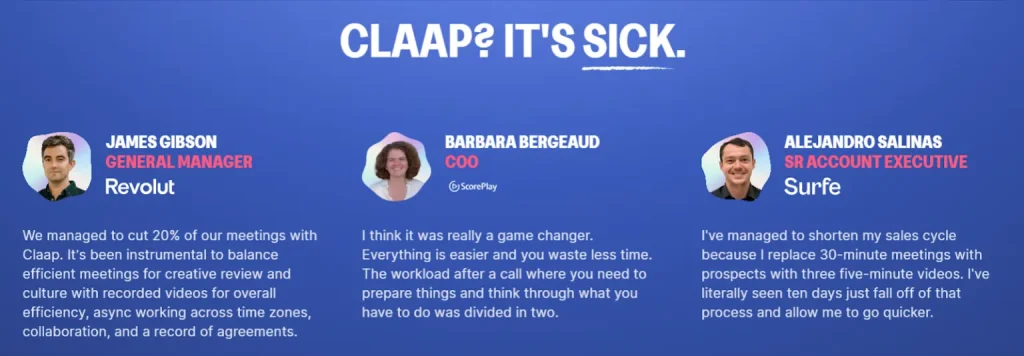
Alejandro Salinas, a Senior Account Executive, reports shortening his sales cycle by replacing 30-minute prospect meetings with five-minute recorded videos. He's seen ten days drop off his typical process, letting him close deals faster.
James Gibson, General Manager of a creative agency, notes Claap helped his team cut 20% of meetings by using async video communication across time zones. The platform balances efficient collaboration with maintaining company culture.
Pierre-Marie Mogenet highlights the transcript quality and AI templates as “completely changing how we collaborate and run user research.” Multiple reviewers specifically mention the accuracy of transcripts and AI-generated summaries.
The main complaints center on the learning curve for advanced features and occasional integration hiccups with specific CRM configurations. A few users mention wanting more customization options for AI summary templates.
🚥 Who Should Use Claap AI? (And Who Shouldn't)
👉 Perfect For:
👎 Not Ideal For:
🔎 How to Get Started With Claap AI?
Getting started takes about 15 minutes according to the company:
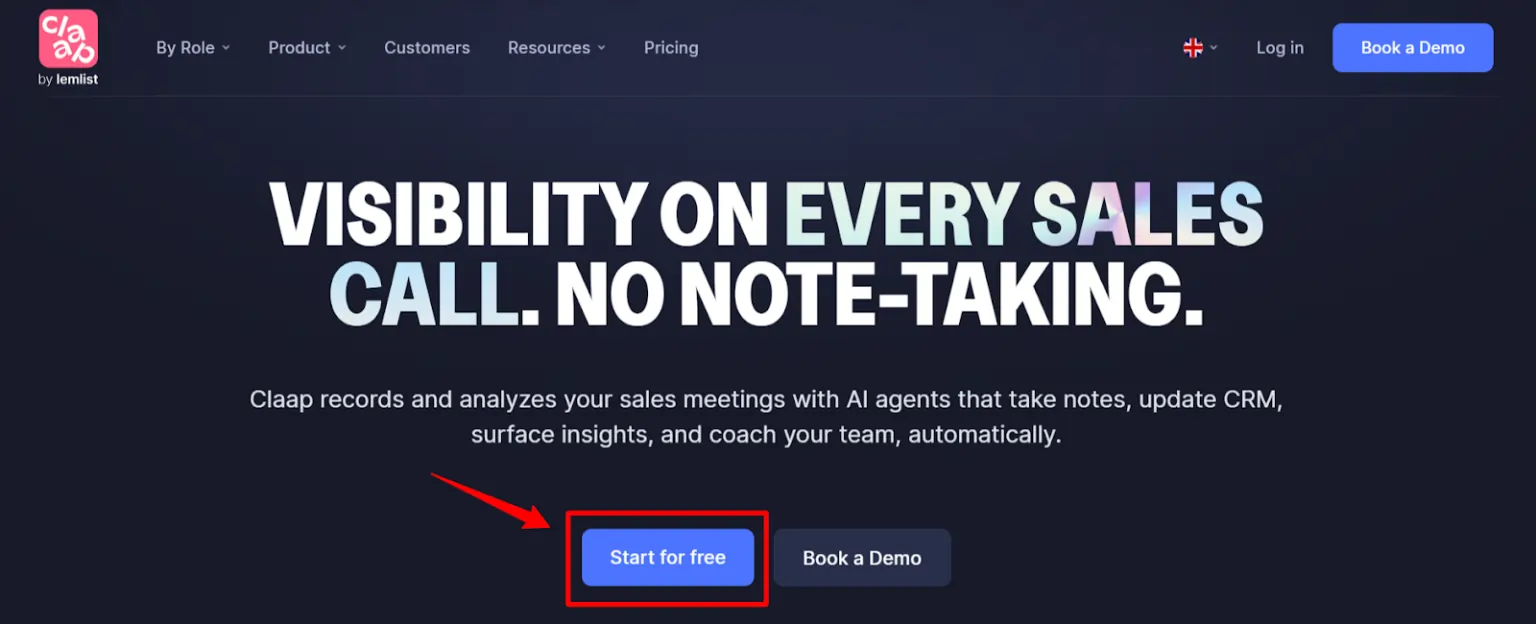
- Sign up for a free trial at claap.io without entering credit card information
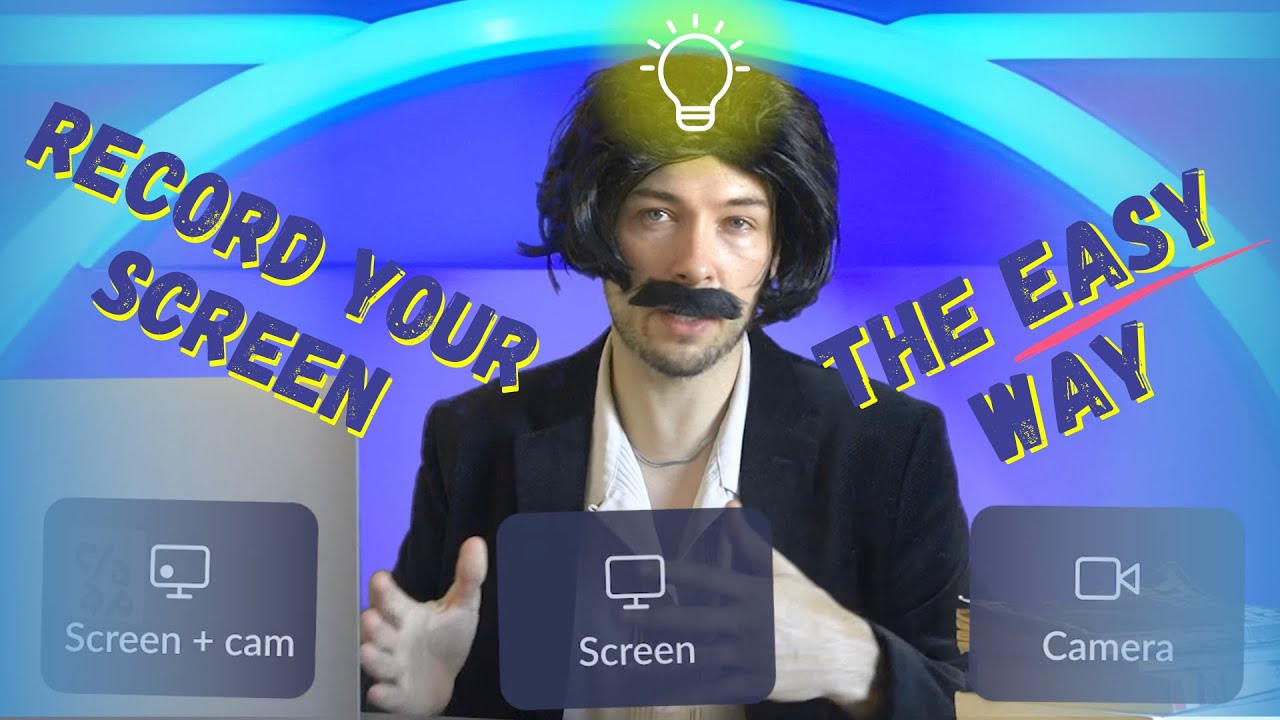
- Install the Chrome extension or desktop app to enable screen recording
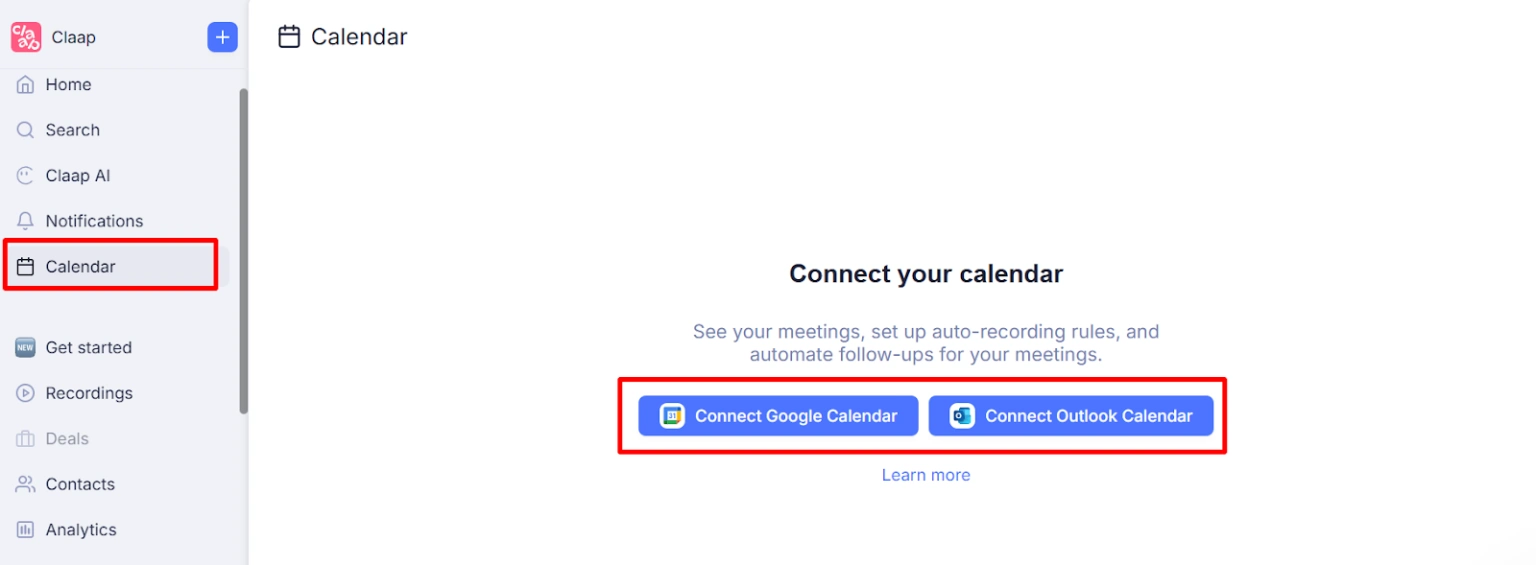
- Connect your calendar to automatically join and record scheduled meetings
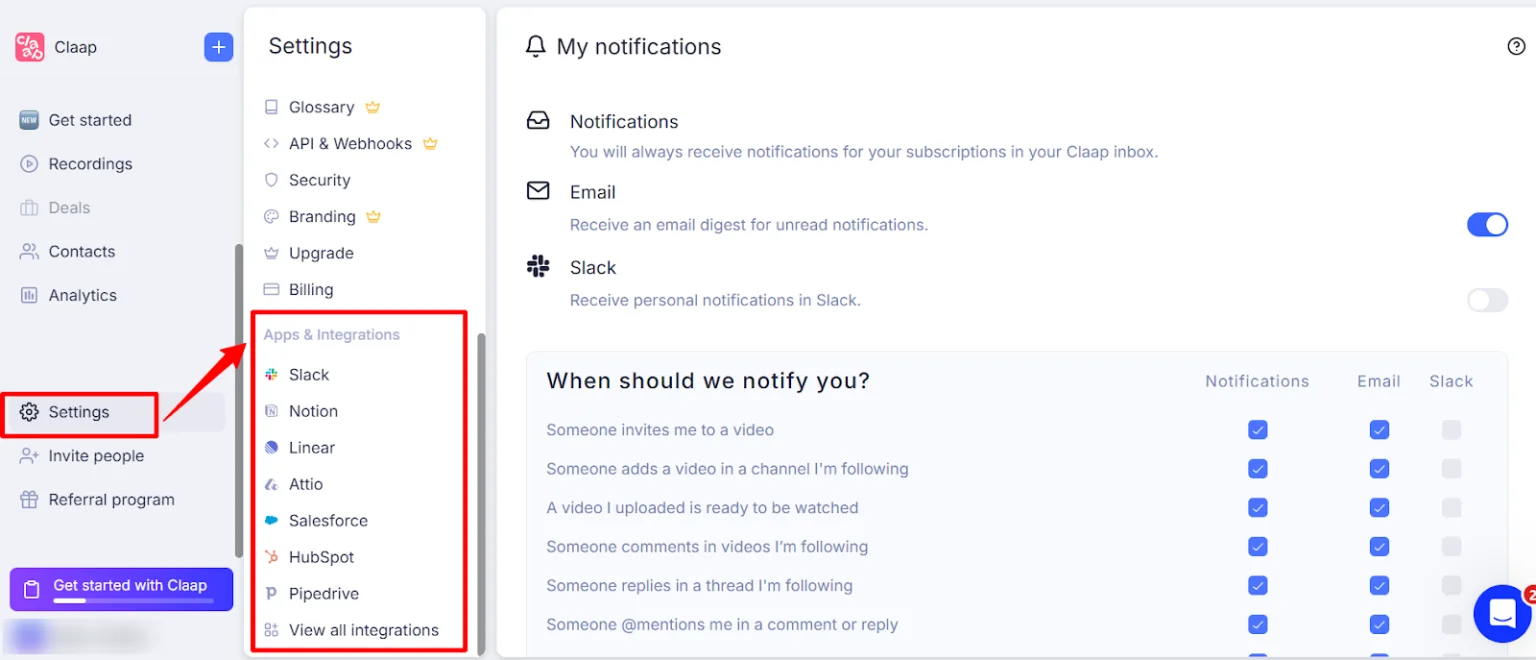
- Link your CRM (HubSpot, Salesforce, or others) for automatic data sync
- Customize AI templates for different meeting types based on your sales process
The platform includes onboarding resources and support to help your team adopt the new workflow. Most teams see full adoption within 1-2 weeks.
⚡ Claap AI Pros and Cons – The Honest Truth ⚡
❓ Still Wondering About Claap AI? Here's What You Need to Know
How accurate is Claap AI transcription?
Claap delivers 95%+ accuracy for English and other major languages. The AI handles accents, technical terminology, and multiple speakers effectively. Accuracy drops slightly for languages with fewer training examples or heavy background noise, but remains highly usable.
Does Claap AI integrate with Salesforce and HubSpot?
Yes, Claap offers native integrations with both Salesforce and HubSpot. The platform automatically syncs meeting recordings, summaries, and extracted data to the relevant contacts and deals. Custom field mapping lets you control exactly what information flows into your CRM.
Can Claap AI record phone calls or just video meetings?
Claap records both video meetings and phone calls. For phone calls, you'll need to use the dial-in feature or record through your desktop app. The platform supports Zoom, Google Meet, Microsoft Teams, and traditional phone systems.
What languages does Claap support for transcription?
Claap supports 100+ languages including all major European, Asian, and Middle Eastern languages. The full list includes Spanish, French, German, Mandarin, Japanese, Hindi, Arabic, Portuguese, Russian, and dozens more. Transcription quality is strongest for the 20-30 most commonly spoken languages.
🔥 Final Verdict – Should You Choose Claap AI in 2026?
This Claap AI review reveals a platform that delivers exceptional value for sales teams drowning in post-call busywork. If your reps spend 30 minutes after each meeting on notes, CRM updates, and follow-up emails, this platform will pay for itself immediately.
The combination of meeting recorder, conversation intelligence, and sales coaching tools makes Claap a complete solution for revenue teams.
Start with the free plan to test the core meeting recorder and transcription quality. If it meets your needs, upgrade to unlock the AI features that truly transform your sales workflow.
Most teams see full adoption within two weeks and wonder how they ever managed without it.